
AI infrastructure has quietly become production infrastructure. Teams are no longer experimenting with a handful of GPUs. A single-node prototype can quickly evolve into a distributed training workload spanning hundreds of accelerators. Inference systems serving real users can experience unpredictable traffic spikes. And as clusters become shared environments, the operational bar changes for everyone — from ML researchers to enterprise platform engineers.
But as this infrastructure scales, manual management becomes a liability. Static provisioning is inefficient and expensive. Permission management turns brittle. Observability gaps obscure performance bottlenecks, and when GPU hardware fails — as it inevitably does — a single unstable node can derail hours of training time.
Today, we’re introducing major enterprise enhancements to Together GPU Clusters (formerly Instant Clusters). We are integrating autoscaling, Role-Based Access Control (RBAC), full-stack observability, self-serve node repair, and active health checks directly into the core cluster experience — giving teams the elasticity of a virtualized stack with the performance profile of bare metal.
Autoscaling: Elastic capacity without overprovisioning
Instead of statically allocating GPU capacity for peak load, you enable “auto-scaling” and allow the cluster to expand or contract based on real-time resource needs.
Powered by the Kubernetes Cluster Autoscaler which monitors for GPU-constrained workloads (pending pods) from distributed training or bursty inference traffic. When demand spikes, additional nodes are automatically brought online. When demand subsides, capacity scales down.
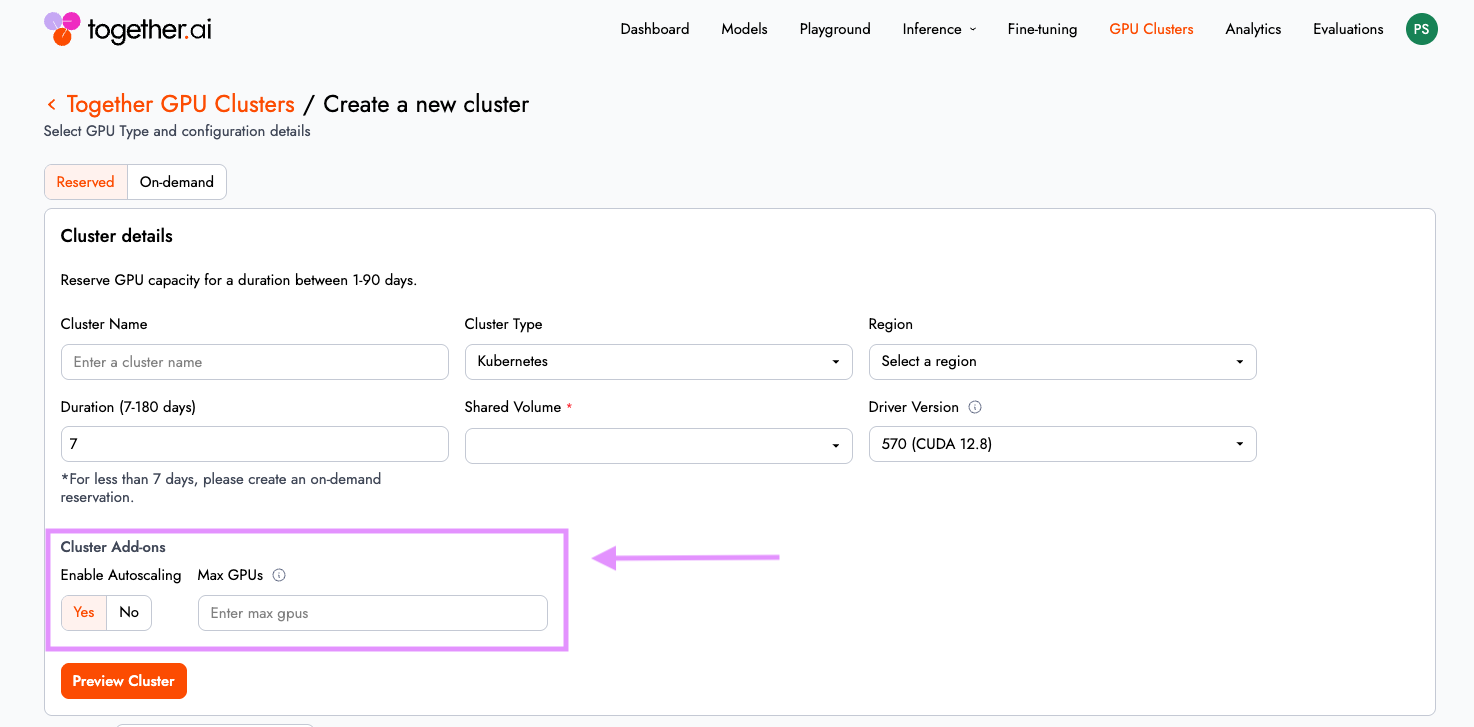
The outcome is straightforward: you maintain performance under load without paying for idle GPU Nodes. This makes Together GPU Clusters well suited for both long-running training jobs and variable inference workloads. To learn more about this feature, visit our documentation.
Active health checks, deeper acceptance testing and self-serve node repair: Reduce MTTR for failures
Hardware instability is not a hypothetical risk in large GPU fleets — it is an operational reality. For distributed training workloads, a single node failure can invalidate an entire job run.
Together GPU Clusters now includes self-serve active health checks. Before spinning up a massive training job, users can trigger tests ranging from basic DCGM Diag 3 to multi-node NCCL or InfiniBand write bandwidth tests directly from the UI, receiving pass/fail results with detailed outputs.

This capability is especially critical for distributed training workloads, where a single node failure can invalidate an entire job run. Users can now trigger a series of deep checks on the infra, before spinning up a big training job and preserve workload continuity and reduce wasted compute cycles.
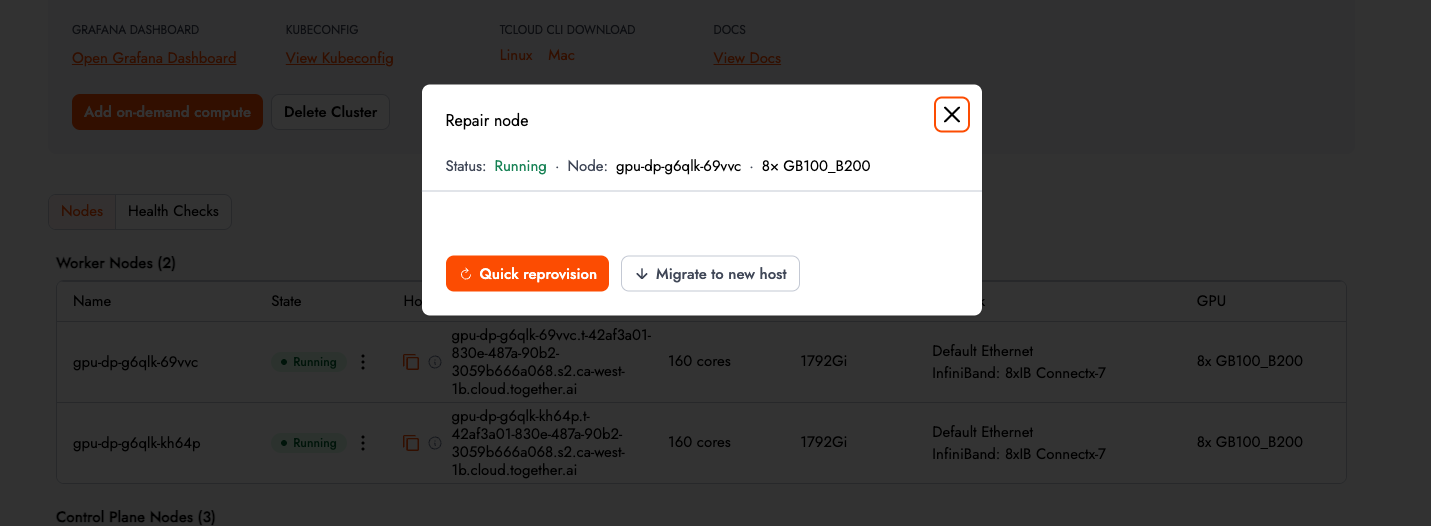
If a node fails, users can execute a self-repair in three clicks. The control plane will automatically cordon, drain, and recreate the node on a new or existing host, bringing the cluster back to a healthy state within minutes. Acceptance tests now run automatically during provisioning, and clusters are not marked Ready until they pass. See the complete list of acceptance tests here documentation.
Role-Based Access Control: Structured multi-team governance
As clusters move from experimentation to shared infrastructure, access control becomes foundational. In Together GPU Clusters, "Projects" now define the collaboration and isolation boundaries for teams, with clusters and storage volumes strictly scoped to each project.
Administrators can enforce structured access controls aligned with enterprise governance. By default, projects include two roles:
- Admin: Full read/write access to the control plane (create/delete clusters) and sudo access for the Slurm cluster.
- Member: Write access to the data plane (access to GPU worker nodes and running workloads).
This clean split allows platform engineers to lock down infrastructure provisioning while giving research and application teams the freedom to run workloads safely within their boundaries.
You can manage your project membership and user roles from within the cloud console by navigating to Settings > GPU Cluster Projects
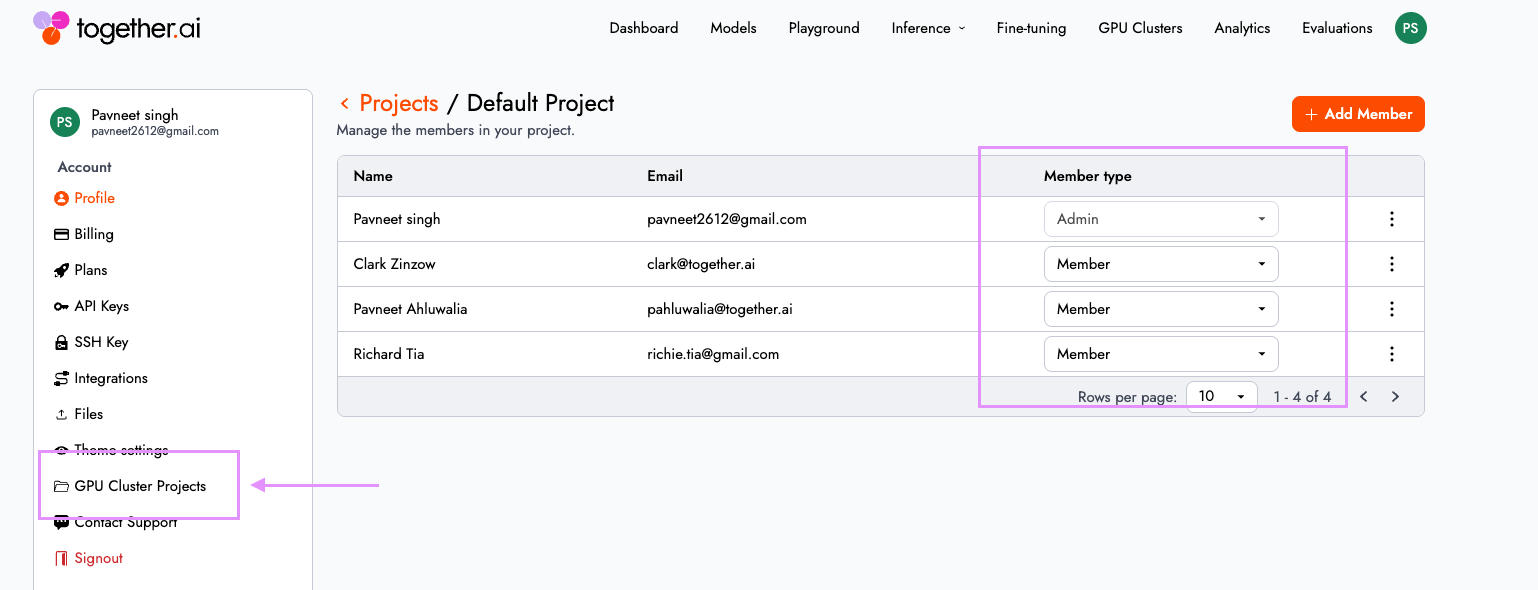
To learn more about this feature, visit our documentation here.
Full-stack observability (private preview)
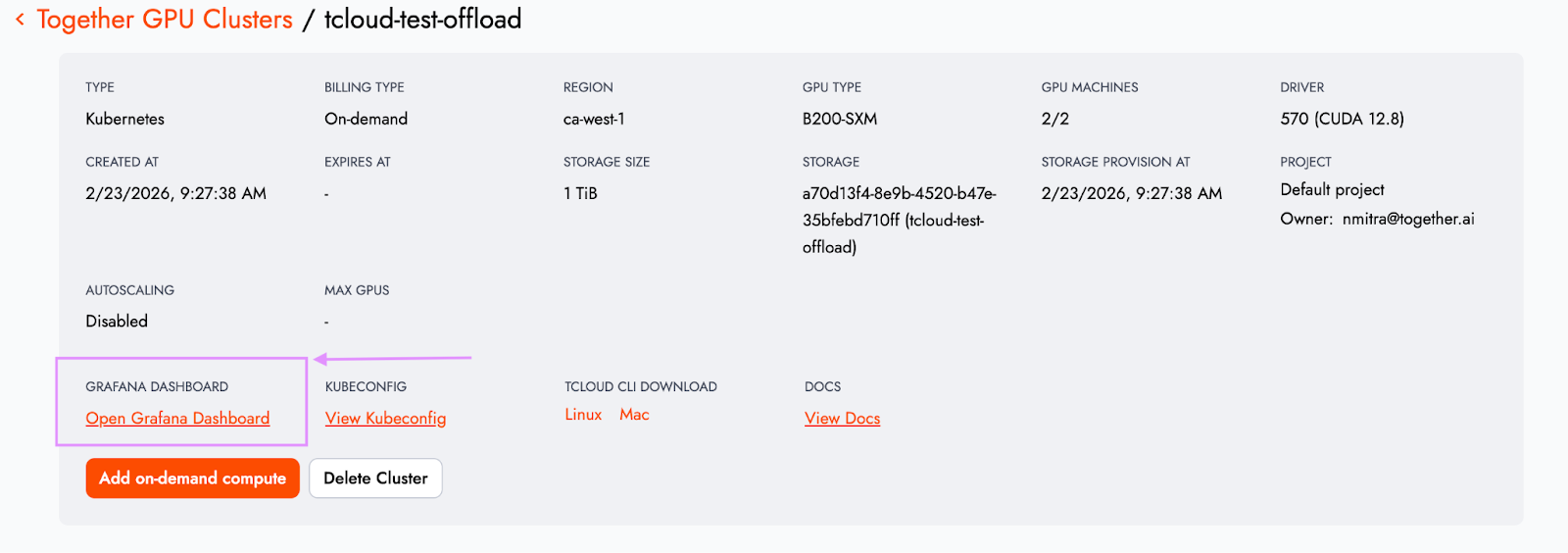
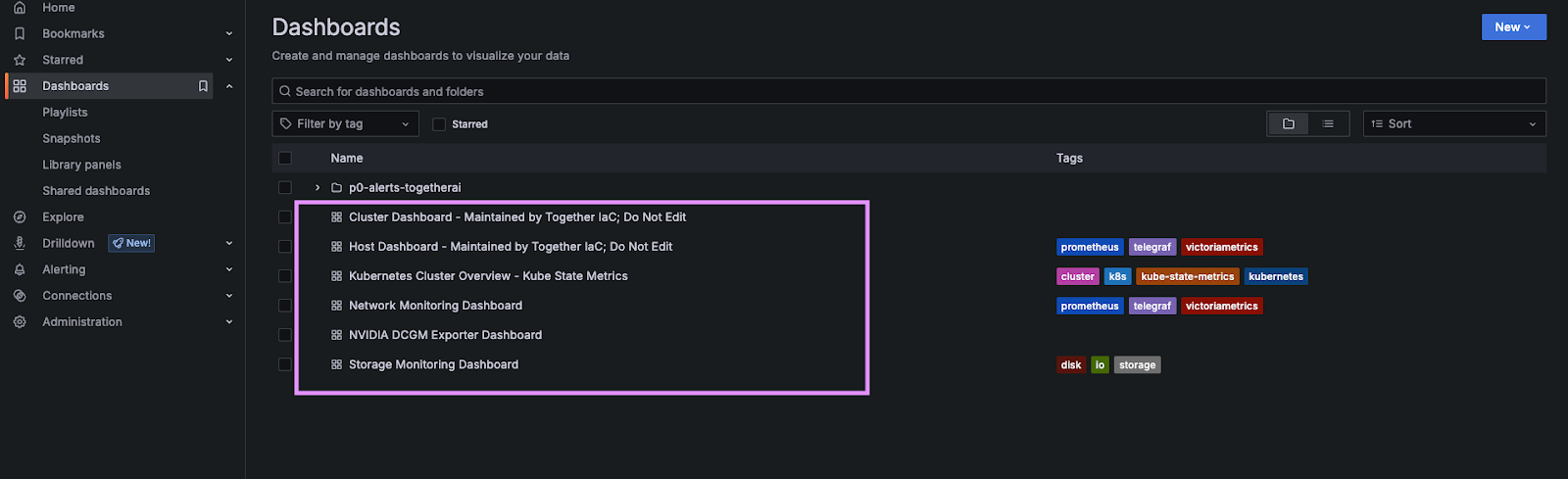
Every Together GPU Cluster project now includes a dedicated Grafana instance with pre-built dashboards, accessible directly from the cluster details page.
Telemetry spans the full stack:
- GPU utilization: DCGM metrics provide direct insight into accelerator health and performance.
- Networking: InfiniBand and NIC-level telemetry expose throughput and bandwidth patterns.
- Storage & orchestration: I/O performance metrics surface hidden bottlenecks, while Kubernetes telemetry provides visibility into orchestration health and resource allocation.
Telemetry is available as soon as the cluster is provisioned. For platform teams, this accelerates debugging and performance tuning. For finance and operations teams, it improves capacity planning and cost efficiency.
Move from experimental to operational
With autoscaling, RBAC, observability, turn-key health checks, and remediations integrated into the platform, Together GPU Clusters move beyond raw GPU provisioning into production ready fully managed infrastructure.
This gives teams the confidence to run large-scale distributed training jobs without worrying that hardware failures will cascade into lost compute time. It also provides tailored value across the organization:
- Platform engineers can safely support multiple internal stakeholders within shared environments.
- Operators can pinpoint networking or storage bottlenecks before they degrade model performance.
- Finance teams can align GPU spend more closely with actual utilization patterns.
Most importantly, organizations can move from experimental AI systems to operational AI platforms — without stitching together third-party tools or building internal control planes from scratch.
Getting started
These capabilities are available today within Together GPU Clusters.
To get started, sign-up at Together AI and spin up your cluster.